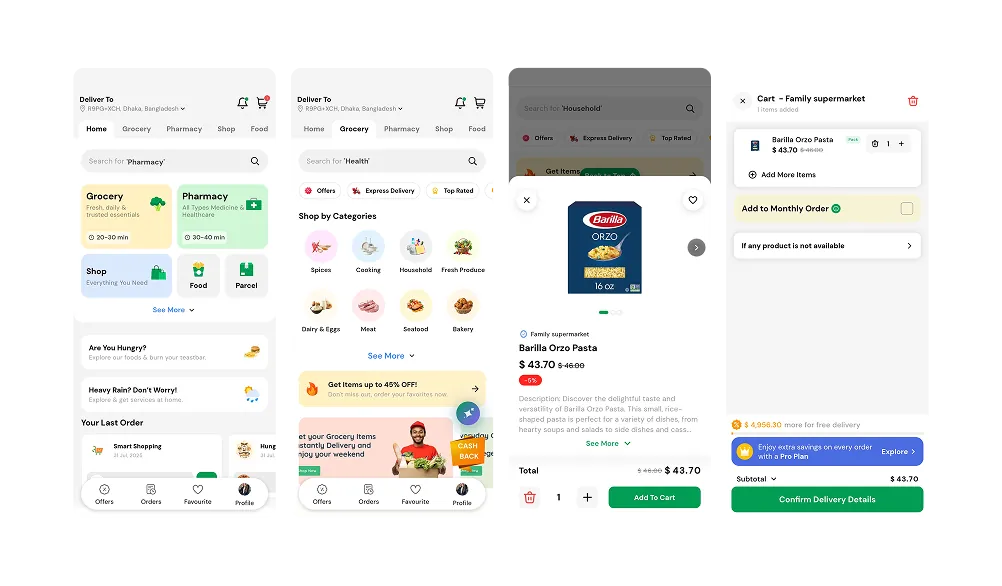
Store PosINTERFACE PREVIEW
01 / ORGANISE
Retail point-of-sale software on monthly or annual rental, connecting checkout, inventory, purchases and accounting.
ONE STORE. MANY MOVING PARTS.
ONE CONNECTED WORKSPACE.
Sell. Restock. Reconcile.
Keep the everyday connected.
A busy counter is only one part of running a store. There are shelves to replenish, suppliers to pay and a day’s takings to reconcile. Store Pos connects these routines in one browser-based workspace.
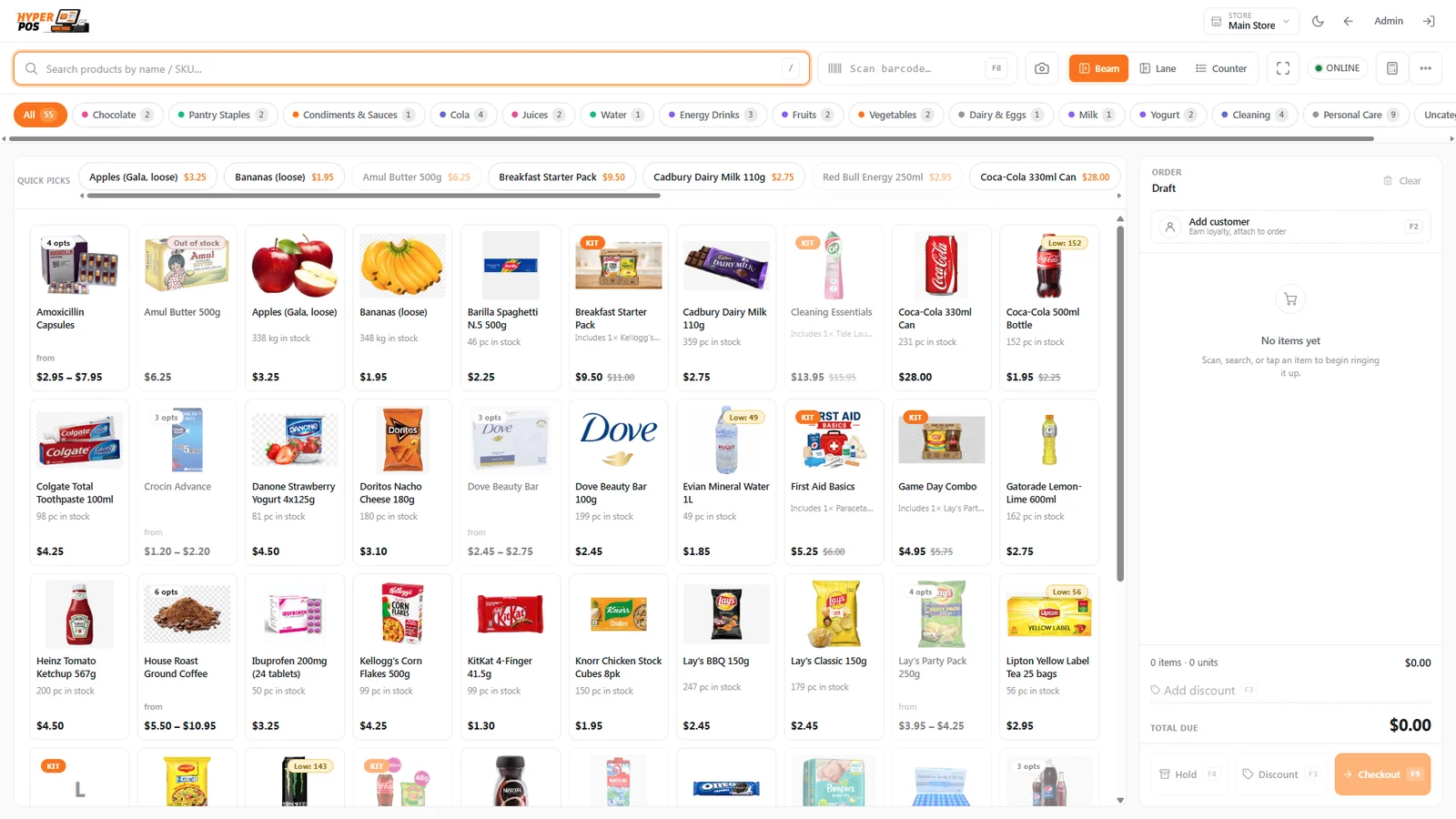
Built around retail, grocery, supermarket and pharmacy workflows, with a cashier interface up front and stock, customer and financial records behind it.
FROM OPENING TIME TO CLOSING TIME
Scroll to explore
Start with an overview of sales and stock alerts, then move into the detail. Store filters and staff permissions help keep each team focused on its own operation.
From a single counter to a configured multi-store setup, discuss the number of stores and terminals you need before choosing your rental scope.
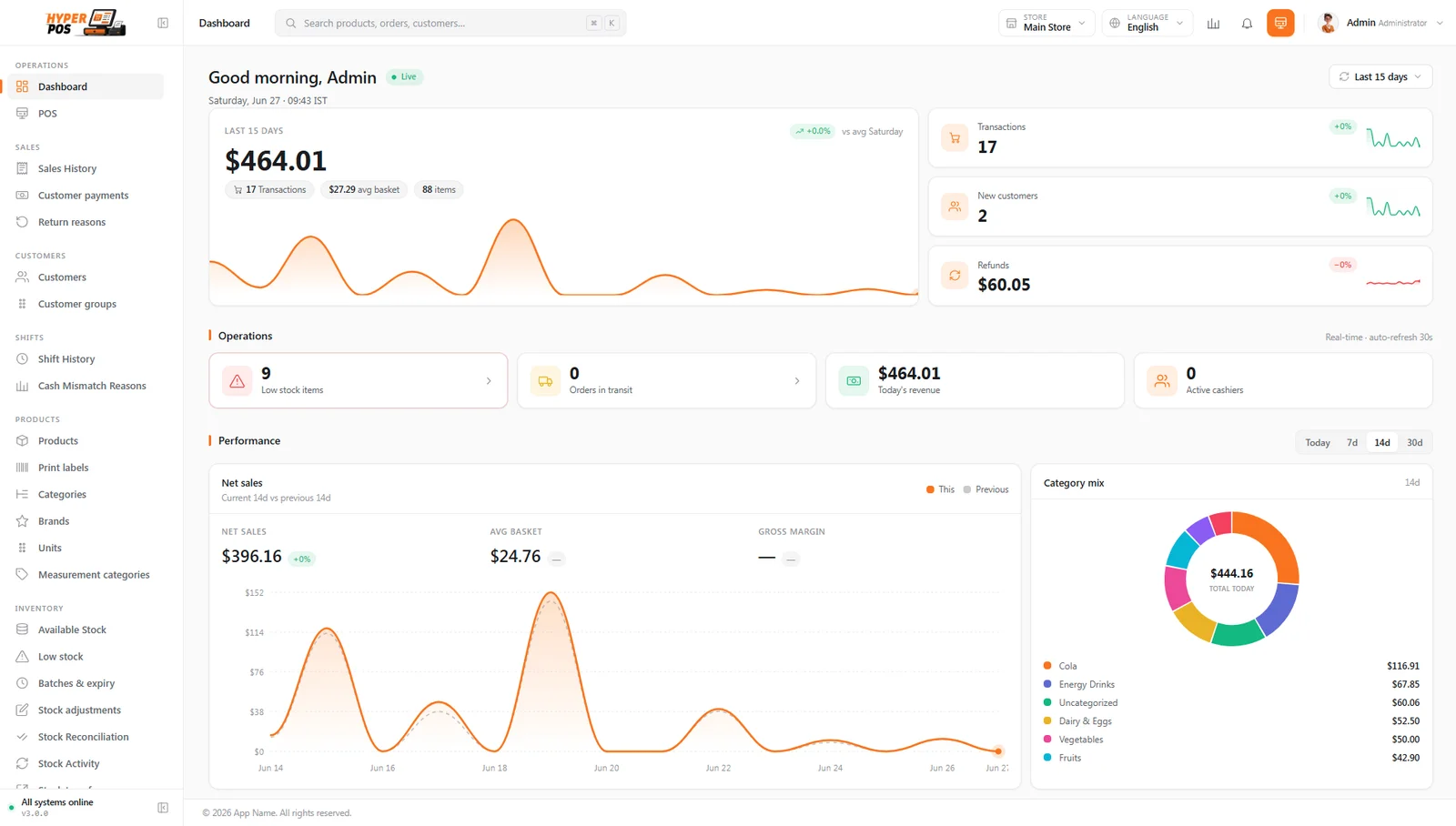
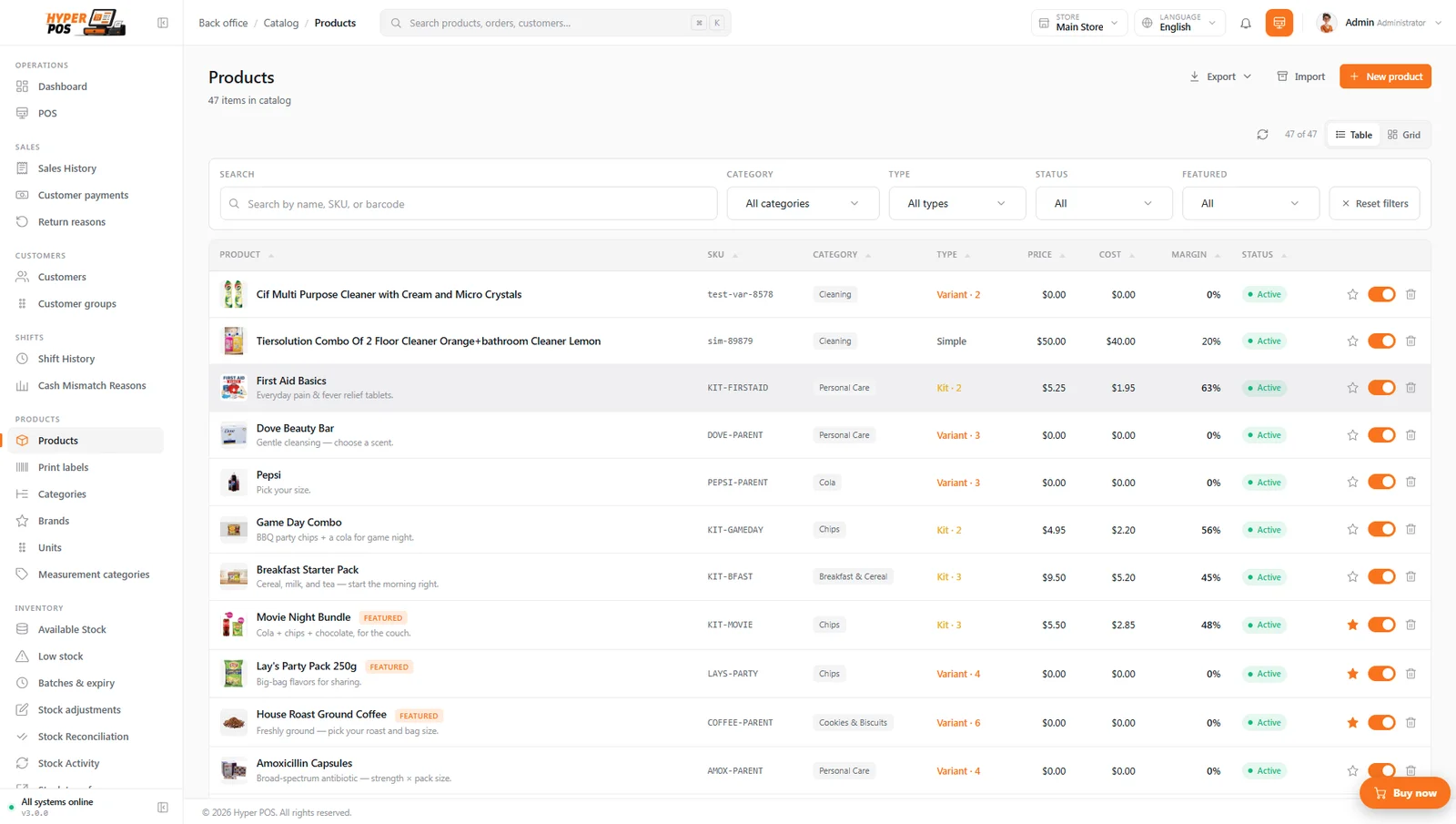
ACTUAL PRODUCT INTERFACE · SAMPLE RECORDS
Organise the catalogue, monitor quantities and follow every stock movement. Receive a delivery, transfer stock or record a count without keeping a separate trail of spreadsheets.
Batch and expiry tools support perishable goods and pharmacy inventory. Purchasing links incoming stock with supplier balances; reports bring the resulting activity into view.
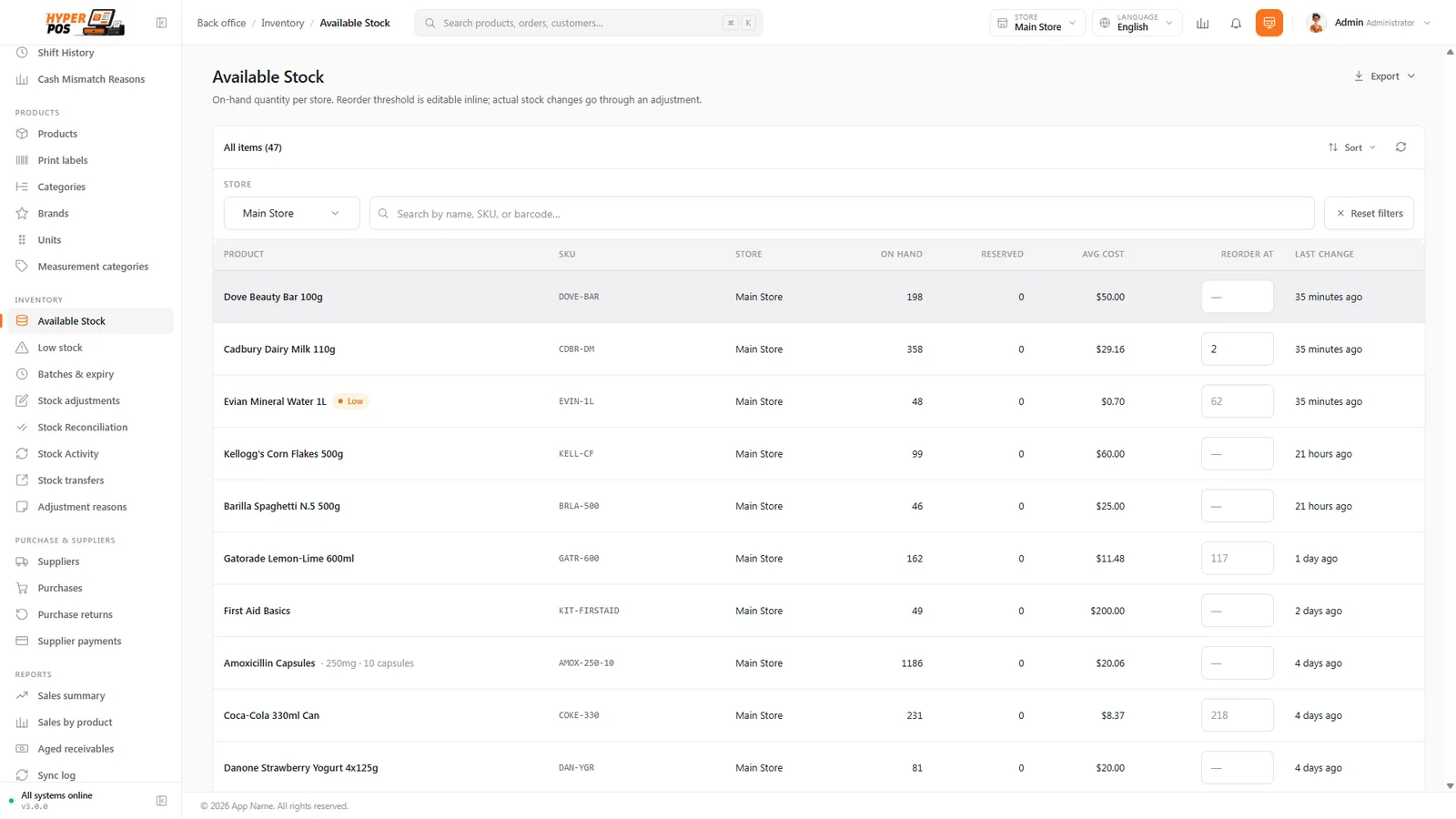
Stock quantities, reorder levels and store filters in one operating view.
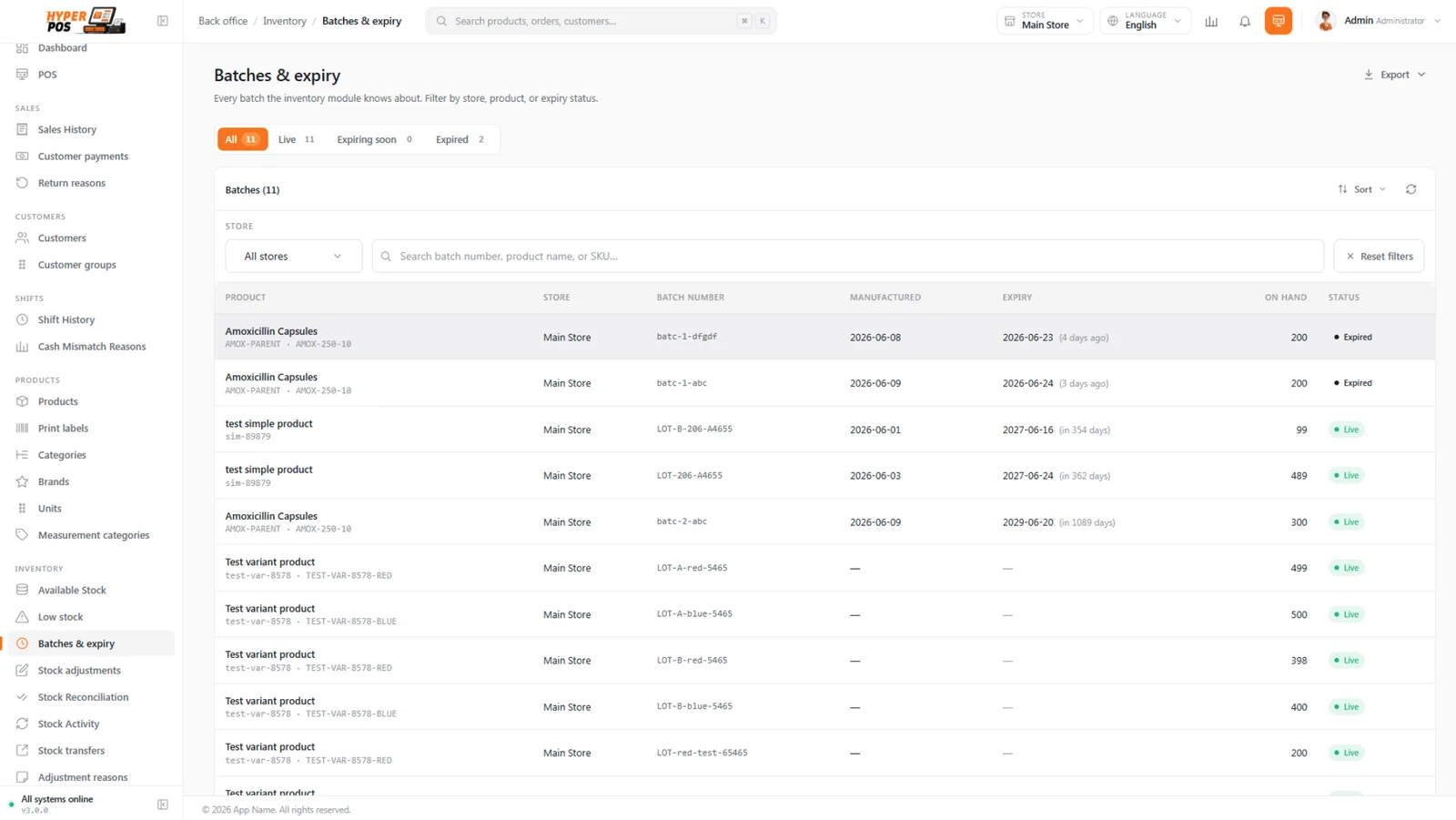
Review batches and expiry dates before stock becomes a problem.
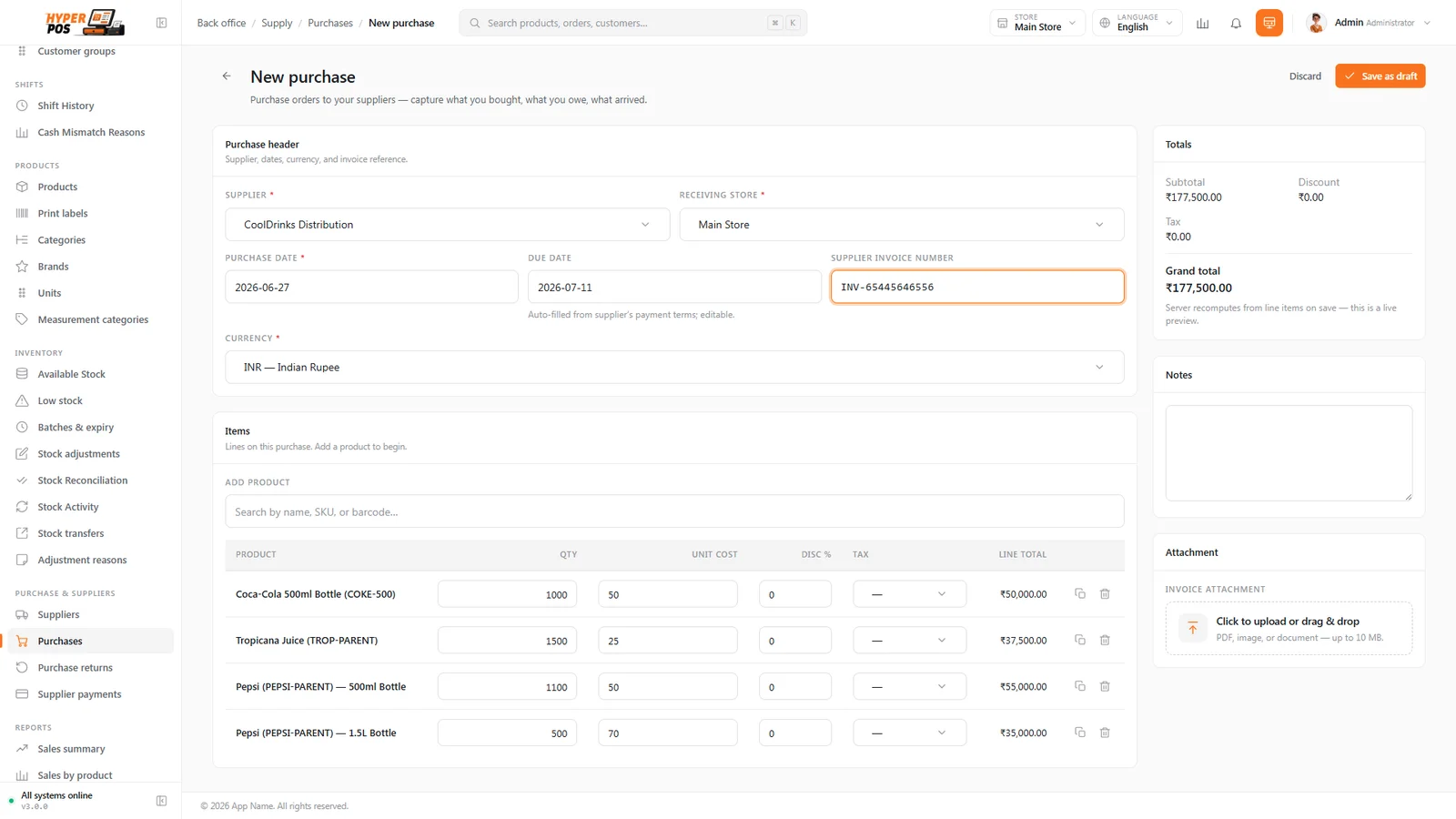
Connect supplier purchases, received quantities and stock costs.
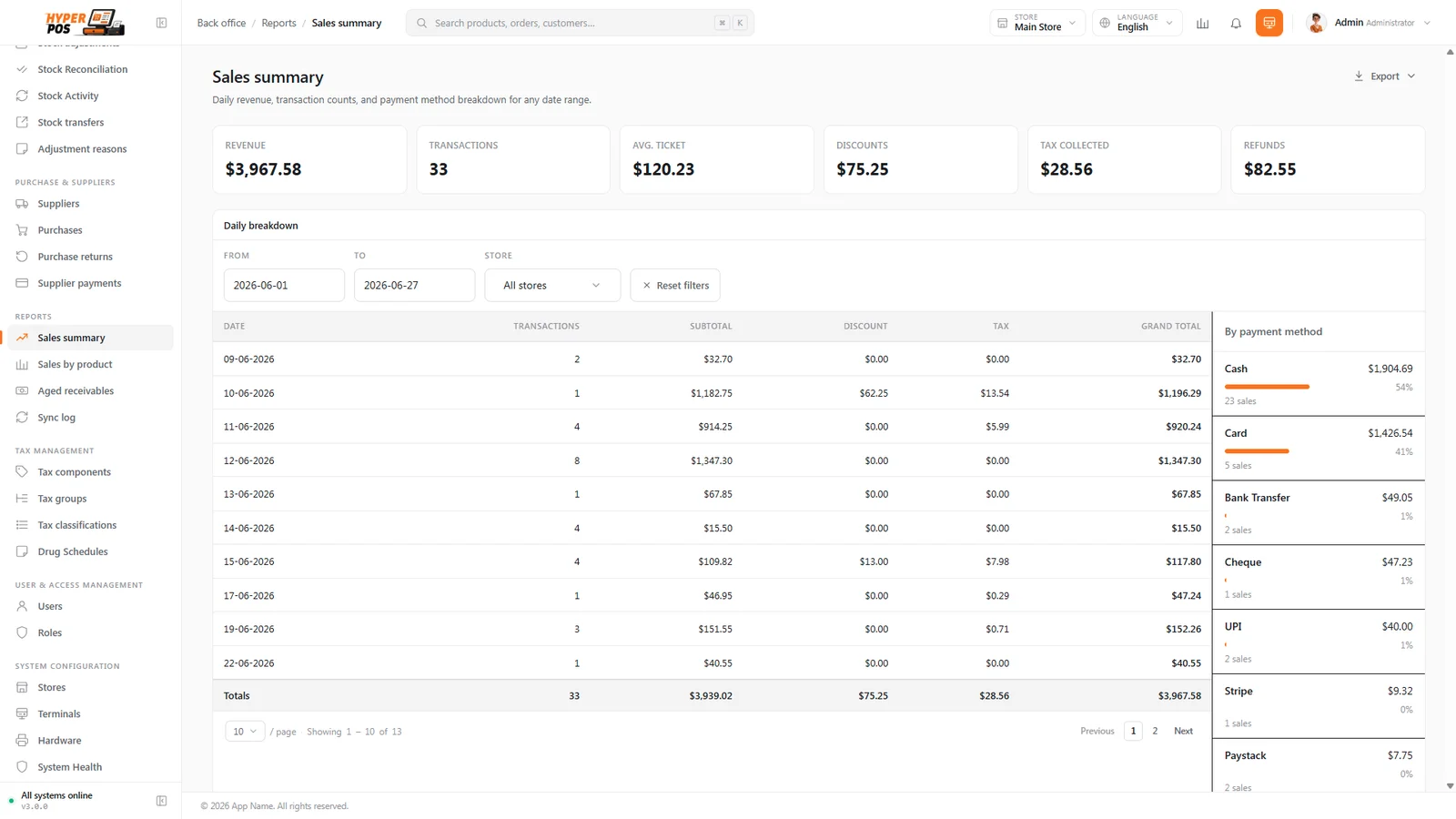
Review sales and payment breakdowns over the period you choose.
Open the till online first to refresh its local catalogue. If the connection drops, cash sales can queue on that device and sync when connectivity returns. Failed or conflicting entries need review in the sync log.
Online gateway payments and store-credit checks still need a connection. Do not clear browser storage while sales are waiting to sync; reconnect and check the queue before closing the day.
Direct thermal printing and automatic drawer opening depend on compatible hardware and browser support. Safari and iPad use browser printing; validate the actual printer, scanner and terminal before launch.
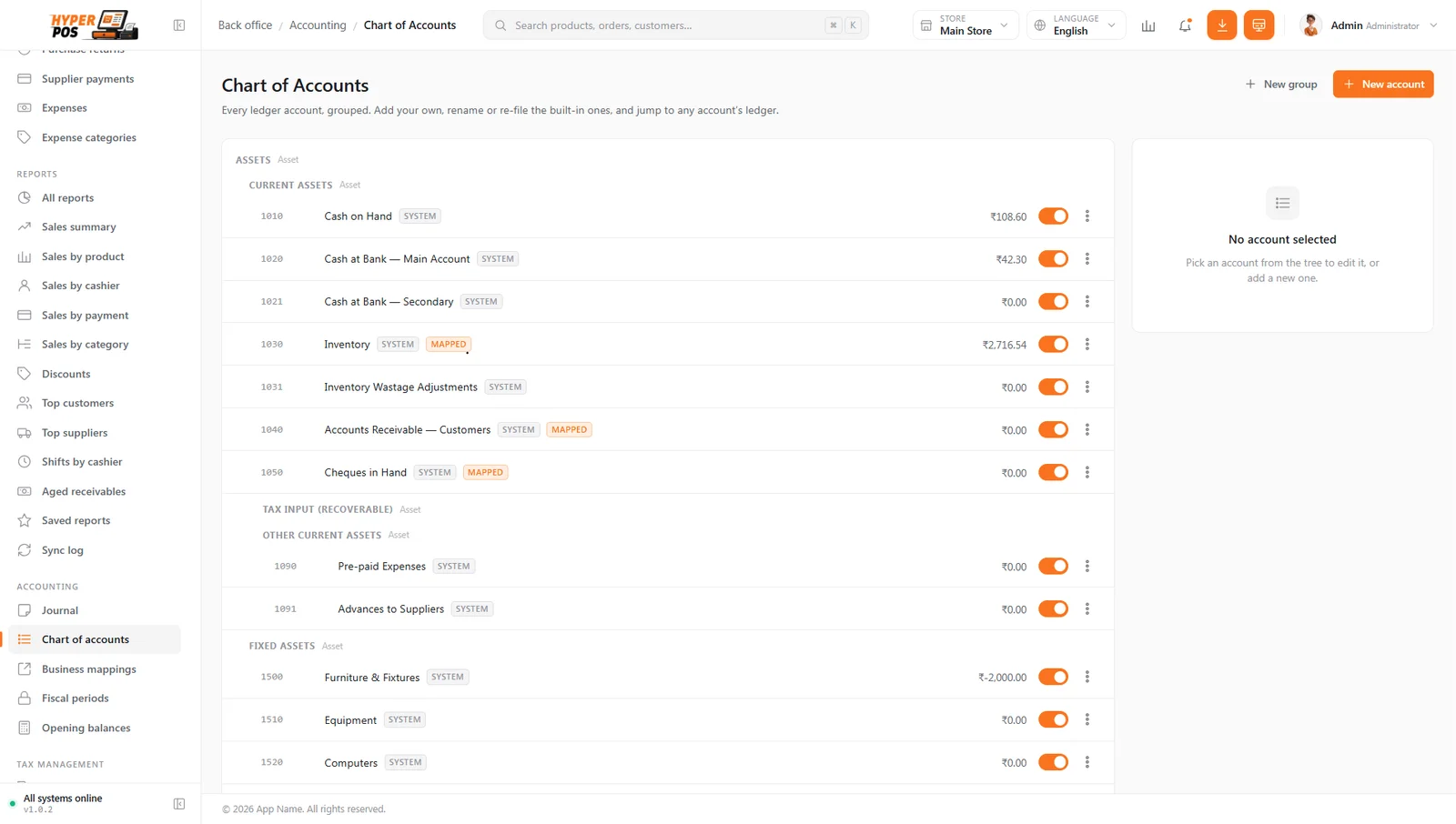
A chart of accounts, opening balances, journal entries and financial reports connect the sales floor with bookkeeping. Review account mappings with your accountant and lock completed fiscal periods when appropriate.
Quotations, customer balances, loyalty, kiosk orders and connected sales channels extend the workflow beyond a single transaction. These capabilities require the right configuration and agreed rental scope.
ACTUAL PRODUCT INTERFACE · SAMPLE RECORDS
PRODUCT CAPABILITIES
Barcode and camera scanning, product search, three cashier layouts, held orders, discounts and split payments. Receipts and returns keep the transaction history together.
Simple items, variants and kits; categories, brands, units and weight-based products. Bulk imports, product images and printable barcode labels support catalogue setup.
Available and reserved quantities, low-stock alerts, shelf locations, stock counts, adjustments, transfers and movement history across configured stores.
Track lots, expiry dates and batch-specific cost, selling price and MRP. Configure expired-stock restrictions and review quantities before replenishment.
Create purchase drafts, receive goods into stock, record supplier payments and process purchase returns. Keep supplier balances and expenses in view.
Customer groups, credit sales, outstanding balances, reusable store credit and loyalty points. Store-credit spending requires an online balance check.
Share a quotation for customer review and turn an accepted offer into a sale. Self-ordering kiosk orders can be collected and managed at the counter.
Shopify and WooCommerce connections support catalogue, stock and paid-order workflows. WhatsApp document sharing uses Click-to-Chat or a configured Meta Cloud API connection.
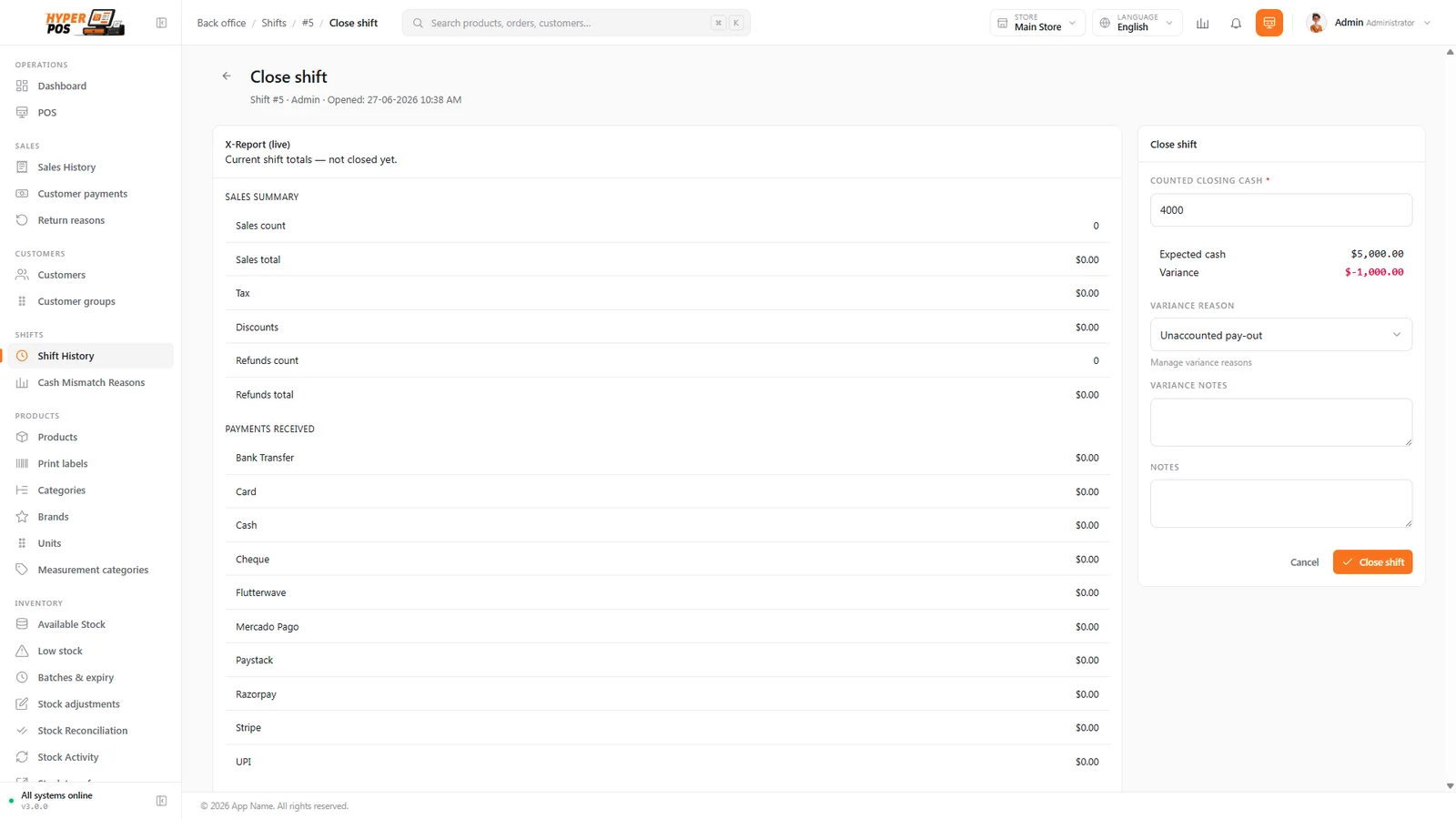
Opening floats, cash in/out, closing counts, variance reasons and X/Z reports help explain each till session. Back-office sales are separate from till reconciliation.
Sales, margins, receivables and financial statements, with exports and scheduled reports. Chart of accounts, journal, opening balances and fiscal-period controls support bookkeeping.
Configure tax components and groups, currencies, languages, staff permissions, stores and terminals. Local tax and pharmacy obligations require a separate professional review.
Receipt and label printing, USB scanners and customer displays. Online gateways require your own supported provider account; manual payment types only record externally completed payments.
Capabilities are based on the supplied product documentation. Integrations, hardware compatibility and included services are confirmed for your deployment.
SOFTWARE ON RENTAL
LET’S PLAN YOUR PROJECT
Share your requirements, team size and launch plans. We’ll agree the right scope and send a tailored proposal.
These links open a draft for you to review and send. No payment or subscription is created here.
Confirm stores, terminals, staff access, catalogue migration, onboarding, hosting, backup arrangements and support in writing before activation. No unlimited-use allowance is implied.
Hardware, gateway transaction fees, WhatsApp/API charges and custom work are separate unless expressly included. Applicable taxes and any setup charges will be stated in the proposal.
This is a rental-access offer, not a source-code sale. Licensing for your deployment, renewal, cancellation, refunds and data export at the end of service must be agreed before payment.
These links open an enquiry draft; no payment or subscription is created here. Prefer email? Write to Code Bro ↗
A few details about your business and what you want to build. We’ll use your brief to discuss the right scope.