Brand
Brand, languages and app identity.
A branded shopping app with store, order and delivery management for a multi-category local marketplace.
Discover stores. Build a basket. Choose how it reaches you.
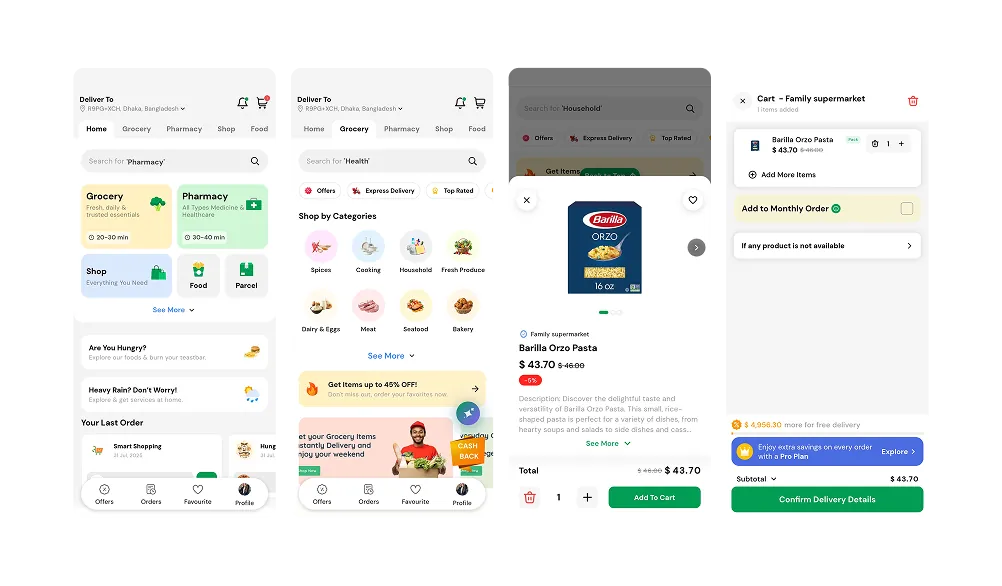
CartHarbor brings nearby grocery stores, food outlets and retail businesses into a single customer experience. Shoppers explore the stores serving their area, select products and place a store-specific order.
Behind the app, store teams manage their catalogue and orders while the marketplace operator coordinates service areas, access and integrations. Code Bro configures the licensed platform around your brand and operating model.
A branded shopping app with store, order and delivery management for a multi-category local marketplace.
2
Flutter · Laravel
Local marketplaces & delivery operators
Customer app
Vendor panels · Delivery zones
Branding, configuration and handover
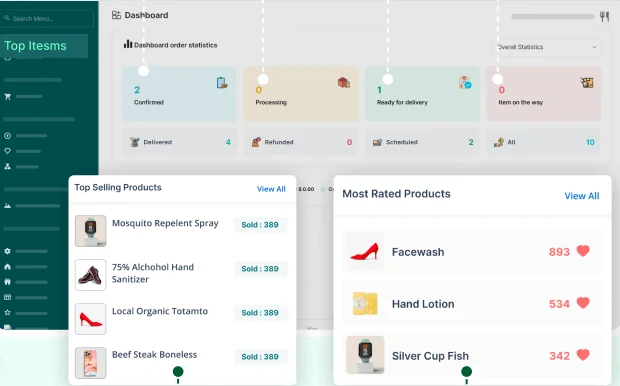
Order stages, product activity and store operations in one workspace.
Customers choose a category and explore stores available for their location.
Items, quantities and store availability stay together before the order is placed.
Store and delivery workflows coordinate the next step; real-world capacity remains yours to manage.
Organise grocery, food and retail categories in a shared shopping experience. Customers see the modules and stores available for their location.
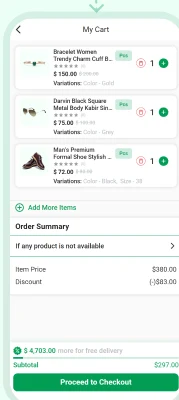
Review item choices, quantities and the order breakdown before checkout. Each order belongs to one store; this is not a combined checkout across unrelated vendors.
Set delivery zones and choose which stores and business modules serve them. Coverage should reflect where your team can actually fulfil orders.
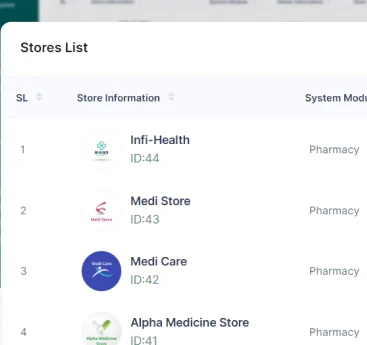
Manage participating stores and give vendor teams access to products and incoming orders. The core vendor web panel is distinct from the optional vendor mobile app.
Give participating stores their own workspace, organise orders by stage and review activity across the marketplace. Start with the categories and delivery areas your team can support, then expand through an agreed rollout.
The current source no longer supports the old Flutter customer website. A React storefront is an optional, separately licensed scope. Pharmacy, payments and delivery operations require the relevant business permissions and compliance review.
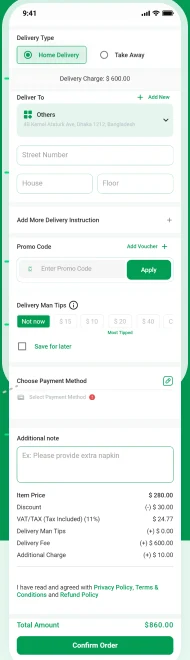
Review items, choose delivery or takeaway, and provide the information your store needs.
Brand, languages and app identity.
Stores, delivery zones and supported services.
Agreed core-flow checks and handover.
Brand Name, colours and app identity.
Configure Supported services and your operating rules.
Validate Agreed core-flow checks and handover.
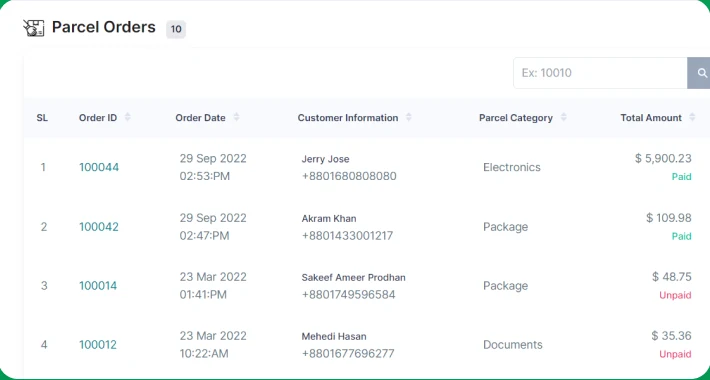
Review order queues and coordinate confirmation, preparation and handoff. Rider acceptance and tracking require the delivery app add-on and configured services.
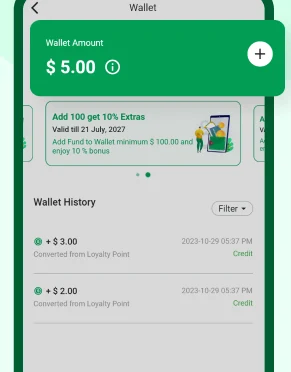
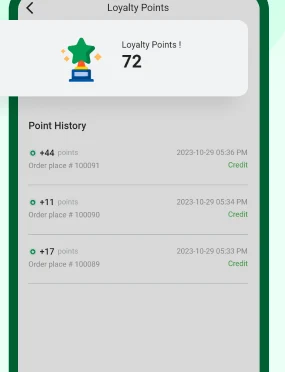
Use supported wallet, loyalty, coupon and reorder tools for repeat customers. Balance and points screens show demo records; customer policies are configured for your business.
Order-stage summaries and product reports help store teams review activity. Access and reporting are configured by role; shown totals are sample data.
Connect supported payments, maps, messaging and notifications through your business accounts. Provider availability, configuration and usage fees are agreed separately.
Browse relevant categories and nearby stores, then explore their products and offers. Store availability and catalogue quality stay under your operation’s control.
Collect delivery details, allow supported takeaway options and apply eligible promotions. Available payment methods and fulfilment choices depend on the selected setup.
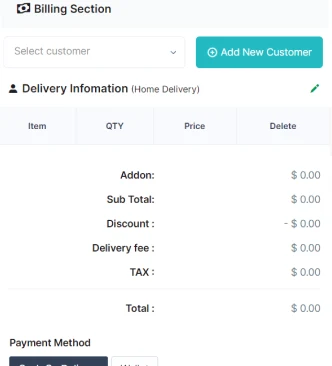
The store POS workflow brings customer selection, billing and payment details into the web panel. Printer support and offline use need separate environment checks.
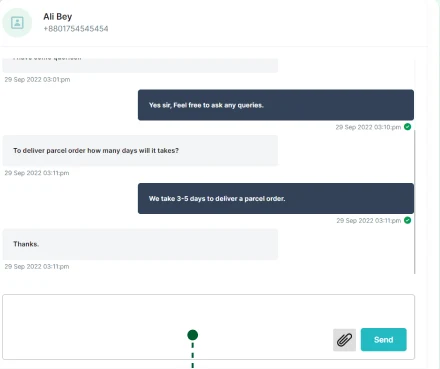
Supported chat helps customers and teams discuss an order. Staff access, support hours and message-handling responsibilities are defined before launch.
ONE-TIME BRANDING & SETUP
A branded shopping app with store, order and delivery management for a multi-category local marketplace. Branding and setup of a licensed third-party foundation—not a sale of original Code Bro software.
A proposal tailored to your requirements
Opens an enquiry draft for you to review and send. Scope, licensing, support and costs are confirmed in your proposal. No payment is collected here.
Provide your brand assets and the required developer, hosting and backend accounts. Credentials are shared through an agreed secure channel, not in a public form.
Software licences; React customer website; vendor and delivery mobile apps; rental or website-builder modules; hosting, domains, maps, SMS, email and payment fees; developer accounts; catalogue migration; custom features and ongoing maintenance.
The offer covers the existing product and agreed setup. New features, major design changes and additional integrations are scoped and quoted separately.
One business deployment. Final milestones, integration choices, delivery timeline and support period are documented before work starts. App-store approval and commercial outcomes are not guaranteed. Taxes, cancellation terms and final costs are agreed in writing.
A few details about your business and what you want to build. We’ll use your brief to discuss the right scope.