Find something good.
Browse nearby restaurants, choose a dish and select the available variations.
Food ordering · branding and setup
A food-ordering app that connects customers, restaurant teams and delivery operations.
Manage restaurant menus, customer orders and delivery zones in one platform.
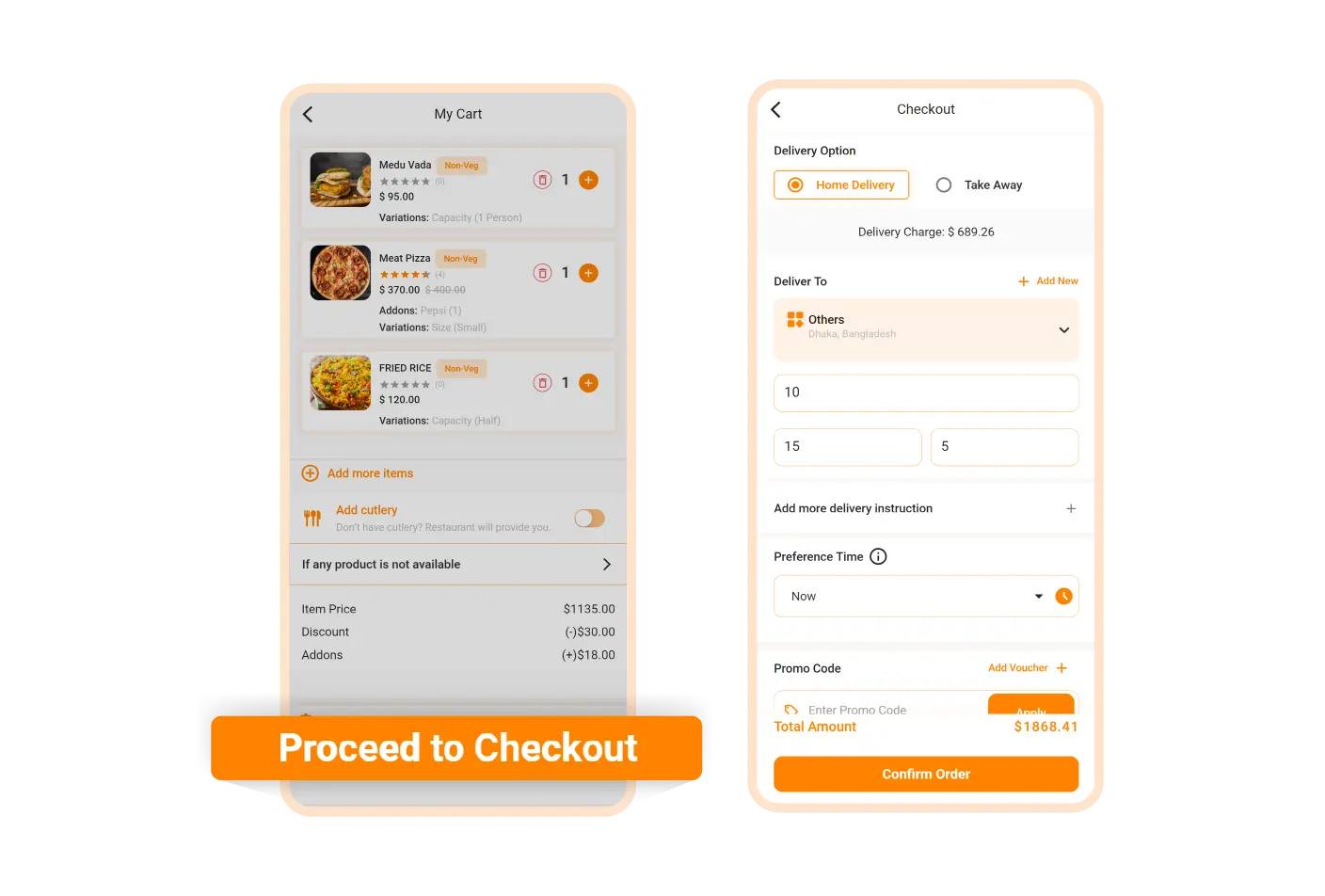
A food marketplace needs more than a restaurant directory. Customers need a clear way to choose a meal, while kitchens need usable order details and a delivery team needs a reliable handoff.
MealQuay is a branded implementation of a multi-restaurant ordering system. It connects those roles without pretending software alone can solve kitchen capacity, rider availability or food quality.
A food-ordering app that connects customers, restaurant teams and delivery operations.
2
Flutter · Laravel
Multi-restaurant food marketplaces
Food ordering
Restaurant panels · Order tracking
Branding, configuration and handover
Browse nearby restaurants, choose a dish and select the available variations.
Restaurant teams receive the order and manage its preparation through their panel.
Configured order stages connect preparation with takeaway or delivery.
Find something good. Browse nearby restaurants, choose a dish and select the available variations.
Give the kitchen clarity. Restaurant teams receive the order and manage its preparation through their panel.
Keep customers informed. Configured order stages connect preparation with takeaway or delivery.
Browse nearby restaurants, choose a dish and select the available variations.
Restaurant teams receive the order and manage its preparation through their panel.
Configured order stages connect preparation with takeaway or delivery.
Location, cuisines and food categories help customers find relevant restaurants. Menus remain the responsibility of each participating business.
Food variations and add-ons let customers specify the available choices. Accurate ingredient and dietary information must come from the restaurant.
Enable the supported fulfilment options for your operation. Scheduled ordering is a configured workflow, not a promise of immediate delivery.
Give restaurant staff a workspace for menus and incoming orders. A dedicated restaurant mobile app is optional and separately licensed.
Decide which restaurants you serve, who confirms orders and how delivery is handled. Configure the service area and business rules before inviting your first restaurants.
The current release retires Flutter customer web. The React storefront, restaurant mobile app, delivery mobile app and vendor website builder are separate add-on scopes. A restaurant-specific cart is not a combined multi-restaurant checkout.
Restaurant teams receive the order and manage its preparation through their panel.
Name, colours and app identity.
Supported services and your operating rules.
Agreed core-flow checks and handover.
Brand Name, colours and app identity.
Configure Supported services and your operating rules.
Validate Agreed core-flow checks and handover.
Show progress from placement through preparation and handoff. Live rider workflows depend on the delivery add-on and correctly configured services.
Configure supported restaurant commissions or subscription arrangements. Actual earnings depend on adoption, costs and commercial agreements.
Coupons, loyalty and repeat-order features support returning customers. Promotional budgets and refund policies need an operating plan.
Manage zones, roles and orders centrally. Connect maps, notifications and supported payment providers using your own accounts.
Browse nearby restaurants, choose a dish and select the available variations.
Restaurant teams receive the order and manage its preparation through their panel.
Configured order stages connect preparation with takeaway or delivery.
Brand configuration, supported integrations and agreed core-flow checks before handover.
ONE-TIME BRANDING & SETUP
A food-ordering app that connects customers, restaurant teams and delivery operations. Branding and setup of a licensed third-party foundation—not a sale of original Code Bro software.
A proposal tailored to your requirements
Opens an enquiry draft for you to review and send. Scope, licensing, support and costs are confirmed in your proposal. No payment is collected here.
Provide your brand assets and the required developer, hosting and backend accounts. Credentials are shared through an agreed secure channel, not in a public form.
Software licences; React customer web; restaurant and delivery mobile apps; vendor website builder; hosting, domains, map/SMS/email usage and gateway fees; app-store accounts; menu data entry; custom integrations and ongoing maintenance.
The offer covers the existing product and agreed setup. New features, major design changes and additional integrations are scoped and quoted separately.
One food-marketplace deployment. Restaurant onboarding volume, configured integrations, milestones, support period and launch responsibilities are recorded in the proposal. Store approval and delivery performance are not guaranteed. Taxes, cancellation terms and final costs are agreed in writing.
A few useful details about your business and what you want to build. Review the brief before sending it securely or through your preferred app.